




Windows 11 Pro OEM licence: buy the genuine key at the best price
Buy your Windows 11 Pro licence in OEM format: a genuine 25-character Windows 11 Pro key that permanently activates the system on 1 PC, with no subscription. It is the best-selling Windows 11 OEM licence in our shop: ideal for new computers, self-built PCs or reinstalls on the same hardware. You receive the key by email a few minutes after payment, with an activation guarantee and 24/7 support.
Windows 11 Pro OEM licence features
Permanent and genuine licence: once activated, the key stays valid for the lifetime of the device. The licence is valid for 1 PC ONLY.
Compatibility: Valid exclusively for Windows 11 Pro, which is 64-bit only. To upgrade Windows Home to Pro, follow our step-by-step guide.
Quick and Easy Activation: Simply copy and paste the key into the system settings. You will see the 25-character key on screen as soon as you pay, and it arrives by email in less than 5 minutes.
Official download: get the system directly from the Microsoft website for a safe, up-to-date installation. Download Windows 11.
OEM licence: it stays permanently tied to the first PC it is activated on and cannot be transferred to another device. If you need hardware flexibility, take a look at our Windows 11 Pro Retail licence.
Microsoft Office 2024 also available: Complete your system with the most comprehensive office suite, also with a permanent licence. See Office 2024 Professional Plus.
What does Windows 11 Pro include compared with Home?
Windows 11 Pro includes exclusive features designed for demanding users and professional environments that the Home edition does not have:
- BitLocker — full-disk encryption to protect your data
- Remote Desktop — connect to your PC from anywhere
- Hyper-V — built-in virtualisation to run other operating systems
- Domain join — essential on corporate networks
- Windows Sandbox — runs apps in a secure, isolated environment
- Group Policy (GPO) — advanced control over the system and users
OEM or Retail licence? Choose the one you need
| OEM | Retail | |
|---|---|---|
| Price | ✅ Cheaper | Higher price |
| Tied to | Permanently to 1 PC | Transferable to another PC |
| Best for | New or long-term PC | A PC you may replace |
| Activation | ✅ Instant | ✅ Instant |
| Updates | ✅ For life | ✅ For life |
If you do not plan to change PC or you are building a new one, the Windows 11 Pro OEM licence is the smartest choice: same features, lower cost. Change hardware often? Take a look at our Windows 11 Pro Retail licence. See all Windows 11 licences.
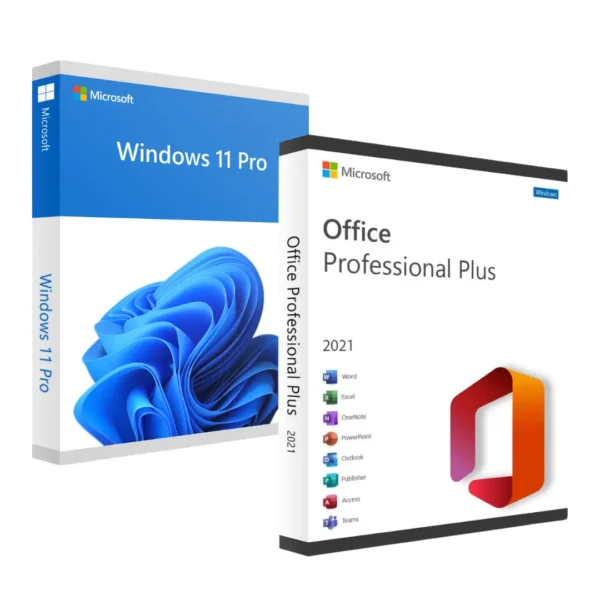
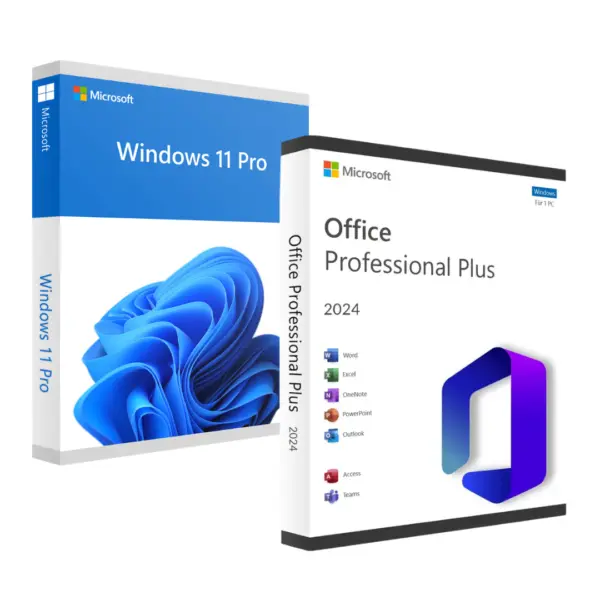
Need Office too? Save with the bundle:
Windows 11 Pro with Office 2024
Windows 11 Home, Pro or Pro Retail?
Windows 11 Pro key: what exactly do you get?
When you buy your Windows 11 Pro key, you receive by email a genuine 25-character product key, the official Microsoft download link and the activation instructions. The Windows 11 Pro OEM key works with the 64-bit Pro edition and activates online, with no phone call. If Windows 11 Home is already installed, you can use the same key to upgrade from Home to Pro without reinstalling or losing your files.
Minimum system requirements
| Processor | 1 GHz, 2 or more cores, 64-bit compatible |
| RAM | 4 GB minimum |
| Storage | 64 GB available |
| TPM | Version 2.0 required |
| Secure Boot | Enabled in BIOS/UEFI |
| Display | 720p minimum, 9″ or larger |
Check your computer's compatibility with the official Microsoft PC Health Check tool before you buy.
How to activate your Windows 11 Pro OEM key step by step
- Download Windows 11 from the official Microsoft website.
- Install or start the system on your computer.
- Go to Settings → System → Activation.
- Click “Change product key” and enter the 25-character key you received by email.
- Windows activates automatically within seconds.
The whole process takes less than 10 minutes. If you run into any problem, our 24/7 technical support will help you via WhatsApp or email.
Is it safe to buy the Windows 11 Pro OEM key from Win10cdkeys?
Yes. Over 40,000 completed orders since 2022 and a 4.9/5 rating on Trustpilot. We offer an activation guarantee: if the OEM key does not work, we send you a new one at no extra cost. Payments are processed by Stripe: card, Google Pay, Apple Pay, Klarna and other methods.
How long does the Windows 11 Pro OEM key take to arrive?
Instantly: the key appears on screen when you complete the payment and arrives by email in less than 5 minutes. It is also saved in «My account». There are no manual steps.
Can I use the OEM licence if I reinstall Windows on the same PC?
Yes. The OEM licence is tied to your computer's motherboard, so you can reinstall Windows 11 Pro on the same hardware as many times as you need without any problem.
Can I transfer the OEM licence to another PC?
No. Unlike the Retail licence, the OEM licence stays permanently tied to the first device it is activated on and cannot be transferred to another computer. If you need hardware flexibility, we recommend the Retail version of Windows 11 Pro.
Can I upgrade from Windows 11 Home to Pro with an OEM key?
Yes. Follow our guide to upgrade from Windows Home to Pro using the OEM key, exactly as you would with a Retail key.
Is it a permanent licence or a subscription?
It is a permanent licence. No renewals or recurring payments. Once activated, you receive all Windows 11 updates at no extra cost.
Do I get a VAT invoice?
Yes. At checkout, tick «I need an invoice / I'm a company» and enter your company details: you receive a PDF invoice in your company's name. If your company is in another EU country and has a valid VAT number in VIES, the invoice is issued without VAT.
Can I buy several licences for my company?
Yes. You can buy several units in the same order or request a PDF quote with volume pricing on our business licences page; you receive it within 24 working hours.
Is it legal to buy a Windows 11 Pro OEM key?
Yes. In the European Union, the resale of software licences is legal under the UsedSoft ruling of the Court of Justice of the EU (case C-128/11). The key is genuine and activates on Microsoft's official servers, like any Windows licence.
 Spanish
 English
 Italian
 Dutch
 Portuguese
 German
 Polish
 French